

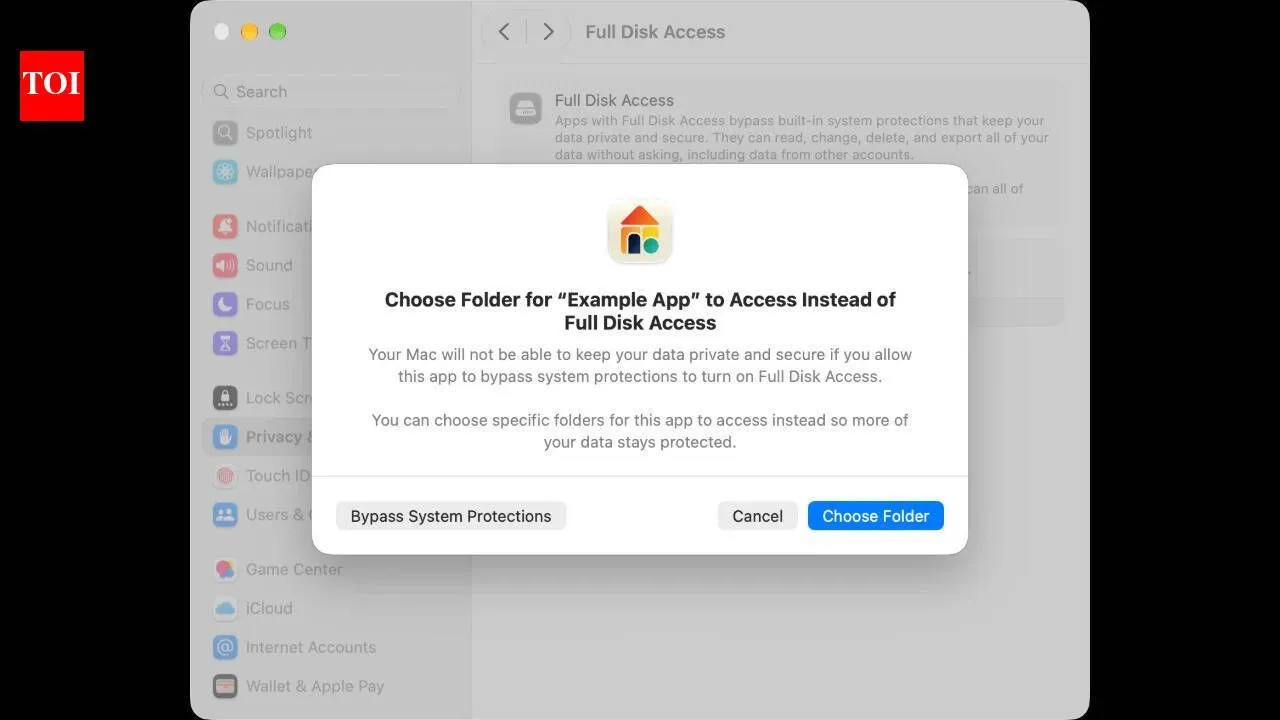
Image credit: Apple
Apple has warned Mac users about broad app permissions. In its support document, the Cupertino-based tech giant has explained that granting Full Disk Access allows an app to bypass system protections and access files including messages, emails, photos, videos and data from other user accounts. Apple says some apps need broader access to function effectively, while others may request permissions they do not need. “It can read, change, delete, and export this data without asking,” Apple says. The company also describes an option starting in macOS 27.3 that lets users restrict some apps to specific protected folders or apps. This allows access to selected content while system protections remain in place for the rest of their data.
Why do apps ask for Full Disk Access
Backup software, disk cleaners, file indexers and security tools are among the apps that may request these permissions, according to Apple. The company advises users to check an app’s setup instructions to understand which protected folders or apps it requires. If the requirements are unclear, Apple recommends contacting the developer and waiting until those needs are understood before granting access. Apple says broader permissions should be granted only when the app comes from a trustworthy source and needs that level of access.
What is System & App Protection Override
Apple separately explains System & App Protection Override, which can allow an app to control other apps. When users choose specific apps, they can set whether permission is required before each app is controlled. The available settings are Ask First and At Any Time. Allowing the requesting app to bypass system protections provides much wider control. Apple says this can let it access all data, see windows and apps running in the background, and capture every keystroke. The confirmation process lists the actions being authorised. For Full Disk Access, these include accessing hidden and recently deleted photos and browsing websites as the user. System & App Protection Override additionally includes controlling the Mac, apps and settings, and monitoring activity.
Join conversation
Share your thoughts in the comments
Be respectful · TOI community guidelines
How can Mac users limit or remove access
Depending on the requesting app, macOS may offer a simple allow-or-deny decision or an option to select protected folders or apps. When the narrower option appears, users can select Choose Folder or Choose Apps and grant access only to what is needed. Existing permissions can be reviewed in System Settings under Privacy & Security. Users can then open Files & Folders, Full Disk Access, or System & App Protection Override to change the relevant settings. For apps with broad access, Apple describes removing the permission and adding the app again. If macOS offers the choice, users can then restrict it to selected folders or apps. Removing access may affect how the app works.
End of Article
Latest Mobiles
View All
iQOO Z10 Lite
₹16,999
Alcatel V3 Classic
₹13,499
Lava Bold N2 5G
₹12,998
Poco M7 Plus
₹19,999
Realme C85
₹19,990
Moto G06 Power
₹12,299
Realme C83 5G
₹18,999
Itel A90 Limited Edition
Infinix Note 40X
₹14,999
Motorola A200
₹1,149
Itel Zeno 100
₹7,999
OPPO F29 Pro
₹30,999
iQOO Z10R
₹18,772